
A vector file allows for greater editing (including text) and cleaner resizing. A raster file (.jpeg, .tiff, etc.) is rendered as a flat, uneditable file — like a photograph — and resizing it will often result in a pixelated or blurred image.
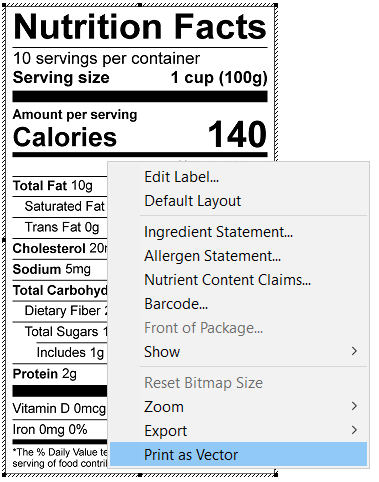
- With your Label onscreen, right-click and select Print as Vector.
- The print dialog will open. From here, select Genesis PDF Printer as the printer. (Genesis R&D uses PDF creation protocols to create vector images, so you can use any other pdf or postscript printers that you have installed, but we have found that the included printer works best with this export tool.)
- The Save File as PDF dialog will open. Name the file and choose where to save the file.
- Click OK.
For a more in-depth look at how this works, see this video tutorial: